Finite-element engine · runs on your machine

Structural analysis you can automate.

Model in FERS Studio, script it in Python, run it from the command line, or let your AI agent build it. One engine behind all four, on your own machine: priced by model size, not per solve, and every Eurocode check comes with its hand calculation.

Free for non-commercial use, up to 100 members. No credit card.

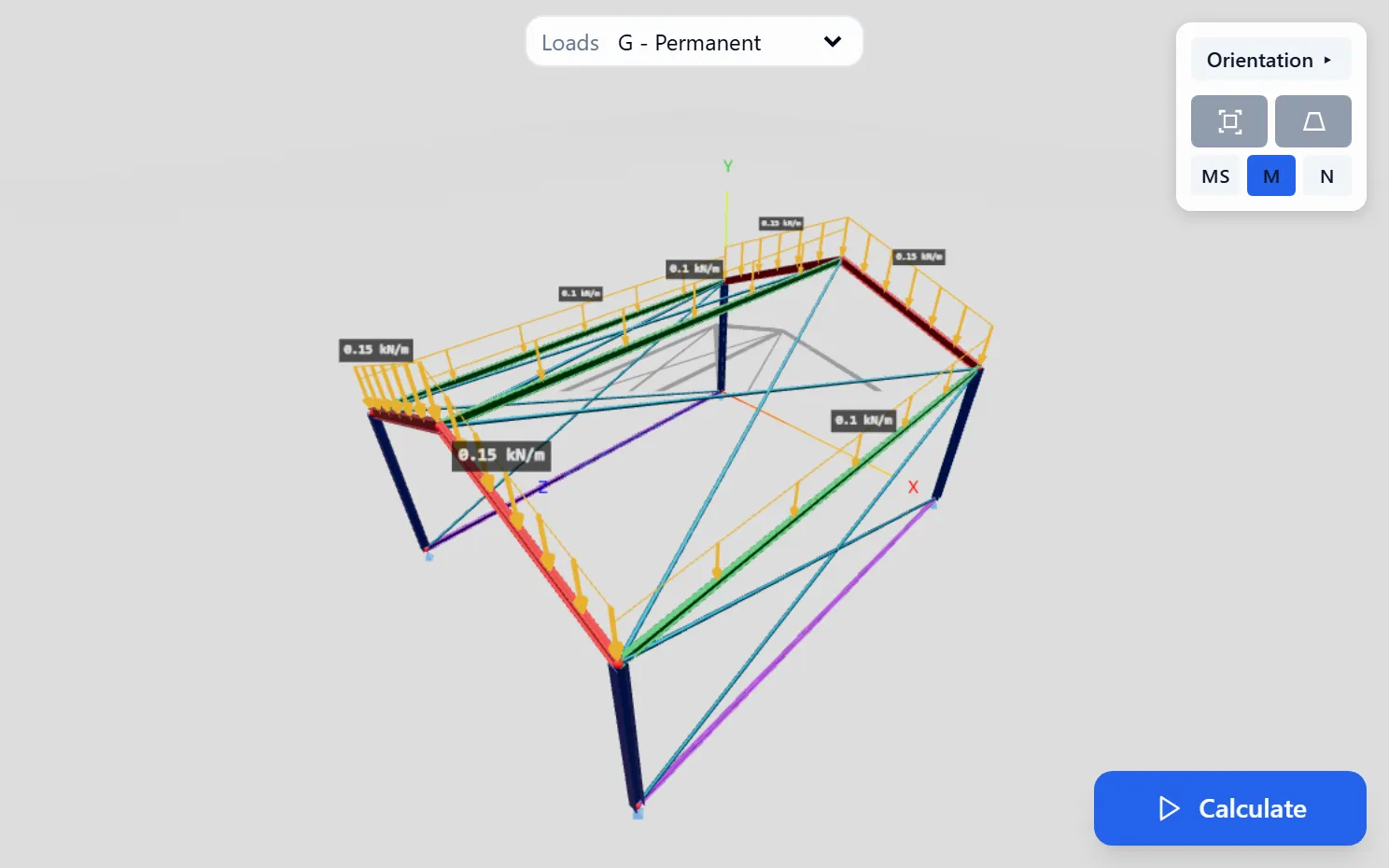
The steel shed in 3D in the FERS viewer, in isometric view with its permanent loads drawn, ready to calculate
portal.pyFull script
COLUMN, RAFTER = "HEA300", "IPE400"
SPAN, EAVES, PITCH, BAY = 20.0, 6.0, math.radians(10.0), 6.0  # m, m, rad, m
# …
column = Section.from_name(COLUMN, steel)
rafter = Section.from_name(RAFTER, steel)
# …
column_left = Member(base_left, eaves_left, column, classification="Column")
rafter_left = Member(eaves_left, ridge, rafter, classification="Rafter")
# …
    DistributedLoad(member, snow, magnitude=SNOW * BAY * math.cos(PITCH))  # per m of rafter
# …
model.add_unity_check(check)
model.save_to_json("portal.json", indent=2)
FERS 0.2.34 / fers_calculations 0.2.108
$ pip install FERS
$ python portal.py
wrote portal.json
$ fers validate portal.json
valid: 5 nodes, 4 members, 0 plates, 3 load cases, 3 combinations
$ fers check portal.json
ec3: Green, utilization 0.744, governing member 4 (Column, HEA300) in "ULS 1.35G+1.5S+EHF" (combination 2)
$ fers solve portal.json --out results.json
solved: 3 load cases, 3 combinations, 1 unity check in 0.0 s -> results.json (113.6 kB)
$ fers report results.json --out report.html
wrote report.html (3.6 kB)
Claude Code with the fers skillRecorded 2026-10-19 · FERS 0.1.100 · condensed

Check a 20 m steel portal frame to Eurocode 3 and verify the moments by hand. span 20 m · eaves 6 m · roof 10° · frames at 6 m HEA300 columns · IPE400 rafters · S355 · pinned bases roofing 0.3 kN/m² · snow 0.8 kN/m²

  1. ● Bash(pip install FERS)⎿ Successfully installed FERS-0.1.100 fers_calculations-0.2.71
  2. …● Write(portal.py)⎿ 91 lines
  3. …● Bash(python hand_check.py)⎿ M eaves hand 265.0 kNm FERS 264.3 kNm -0.26 %
  4. ● Bash(fers check portal.json)⎿ ec3: Green, utilization 0.744, governing 4 in combination 2

Passes EN 1993-1-1: UC 0.74, right column, §6.3.3. Eaves moment within 0.3 % of the closed form. Hand-calc trace: report.html
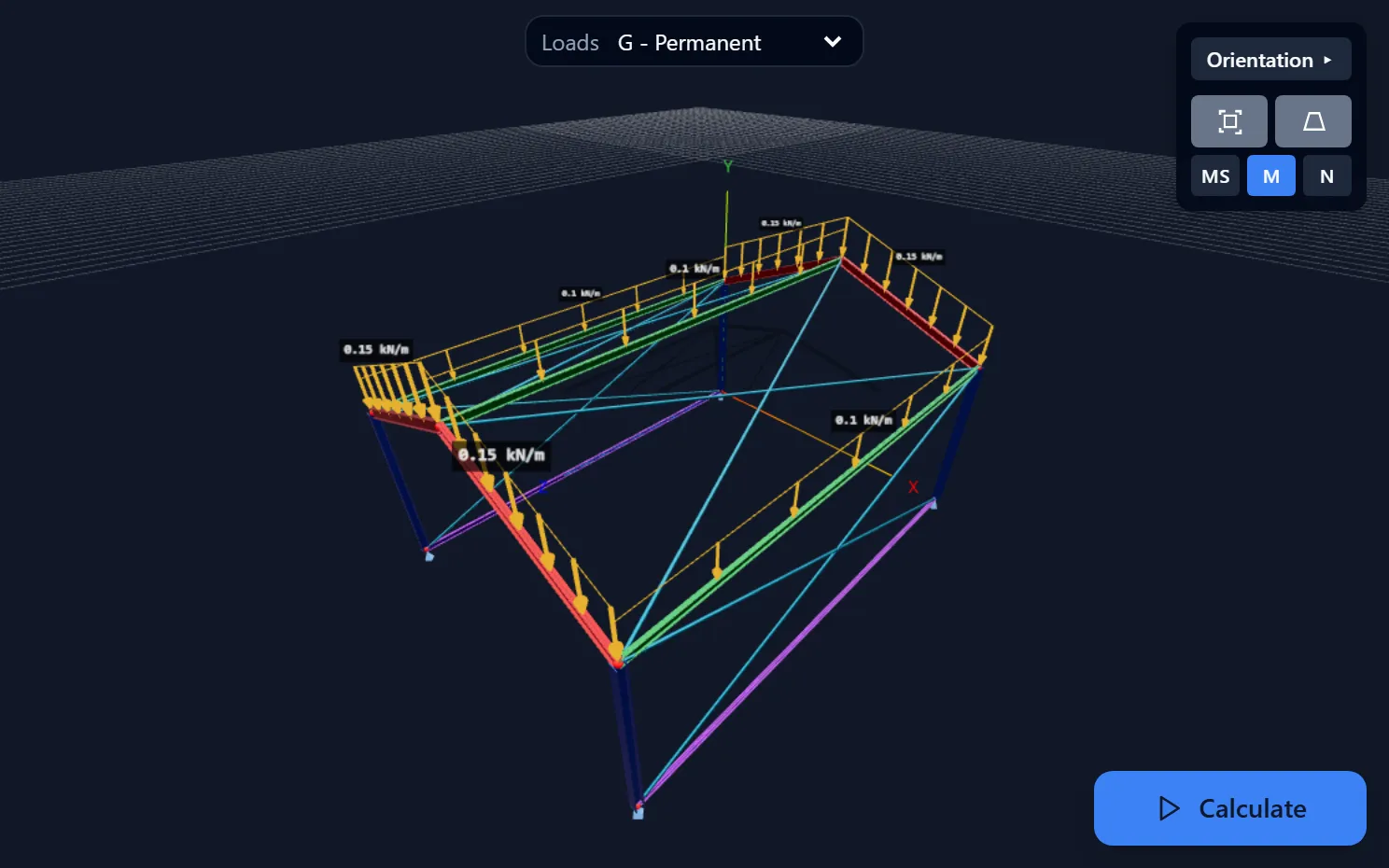
Running live in this page: a steel shed in 3D, 10 nodes and 21 members. Hold the middle mouse button to rotate it, then press Calculate to solve it on your machine.

Automate

Automate the work you repeat

Each job below is a few lines against the engine behind FERS Studio, so a script, a CI job and an agent get the answers you would get by clicking. Copy one and run it.

Python

Sweep a parameter

Check a row of sections against one span and read each governing utilization, in a loop instead of a spreadsheet.

from fers_core import check_beam

for section in ["IPE330", "IPE360", "IPE400"]:
    beam = check_beam(7.5, section, material="S275",
                      udl=12_000, uls_factor=1.35)
    beam.run_analysis()
    gov = beam.unity_check_results()[0]["governing"]
    print(f"{section:<8} UC {gov['demand']:.3f}")

# IPE330   UC 1.420
# IPE360   UC 1.059
# IPE400   UC 0.800
Python guide

Command line

Re-check every model on each commit

Keep models in version control and let CI check them. A failing or undecided check stops the build.

# Re-check every model on each commit. These exits
# fail the job: 6 a check fails, 5 nothing decided,
# 4 the numbers must not be used.
pip install FERS
for model in models/*.json; do
  fers check "$model" || exit
done
Command-line guide

MCP

Hand the modelling to your AI agent

Add the FERS MCP server to Claude, Cursor or VS Code and ask in plain language. The agent writes the model; the solver calculates it.

{
  "mcpServers": {
    "fers": {
      "command": "npx",
      "args": ["-y", "@ferscloud/fers-mcp"]
    }
  }
}
Connect an agent

JavaScript

Put the solver in your app

The WebAssembly build solves in the browser or in Node, with no server round-trip and nothing to host.

import { calculate_from_json }
  from "@ferscloud/fers-calculation-web";

// model: a 5 m IPE 180 cantilever, 1 kN at the tip
const json = calculate_from_json(JSON.stringify(model));
const res = JSON.parse(json);

if (!res.ok) throw new Error(res.error.message);
const tip = res.result.results.loadcases["End Load"]
  .displacement_nodes["2"];
console.log((tip.dy * 1000).toFixed(3), "mm");
// -15.065 mm; by hand PL³/3EI_z = 15.07 mm
JavaScript guide

FERS Studio

Everything in one place

When you would rather click than code: model, analyse, check and report in FERS Studio, on the same engine as the scripts. The free calculators cover the everyday checks.

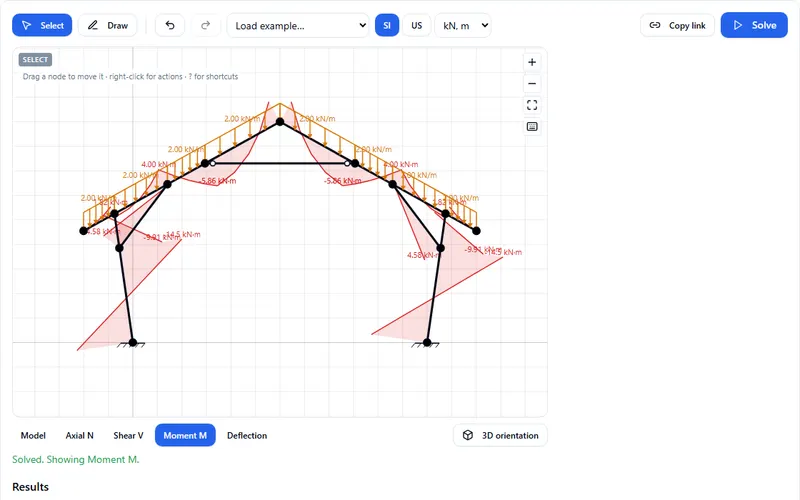
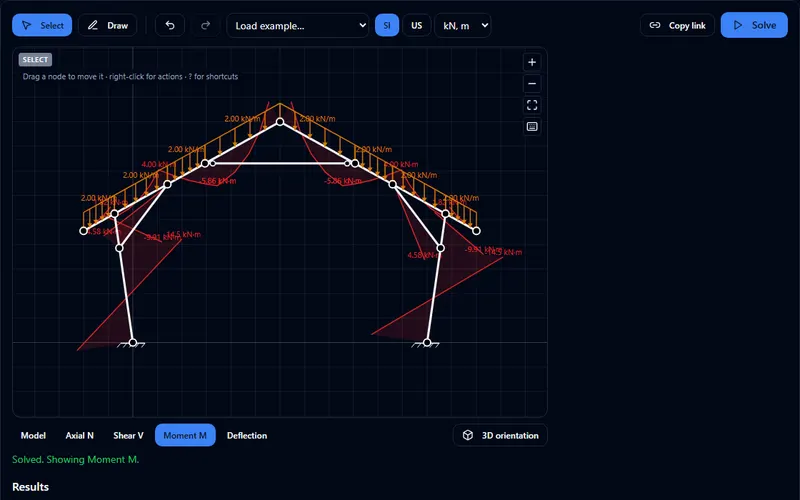
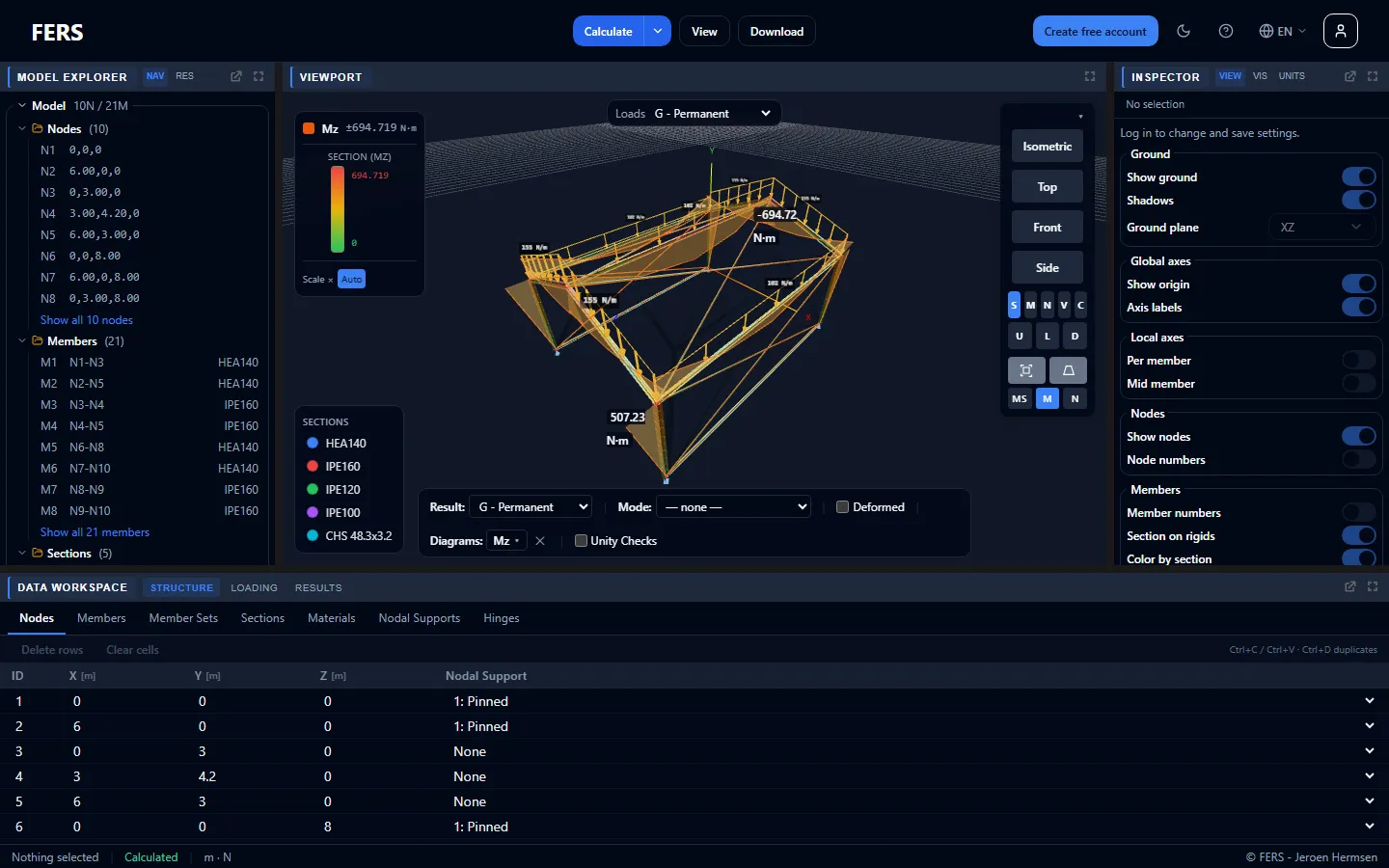
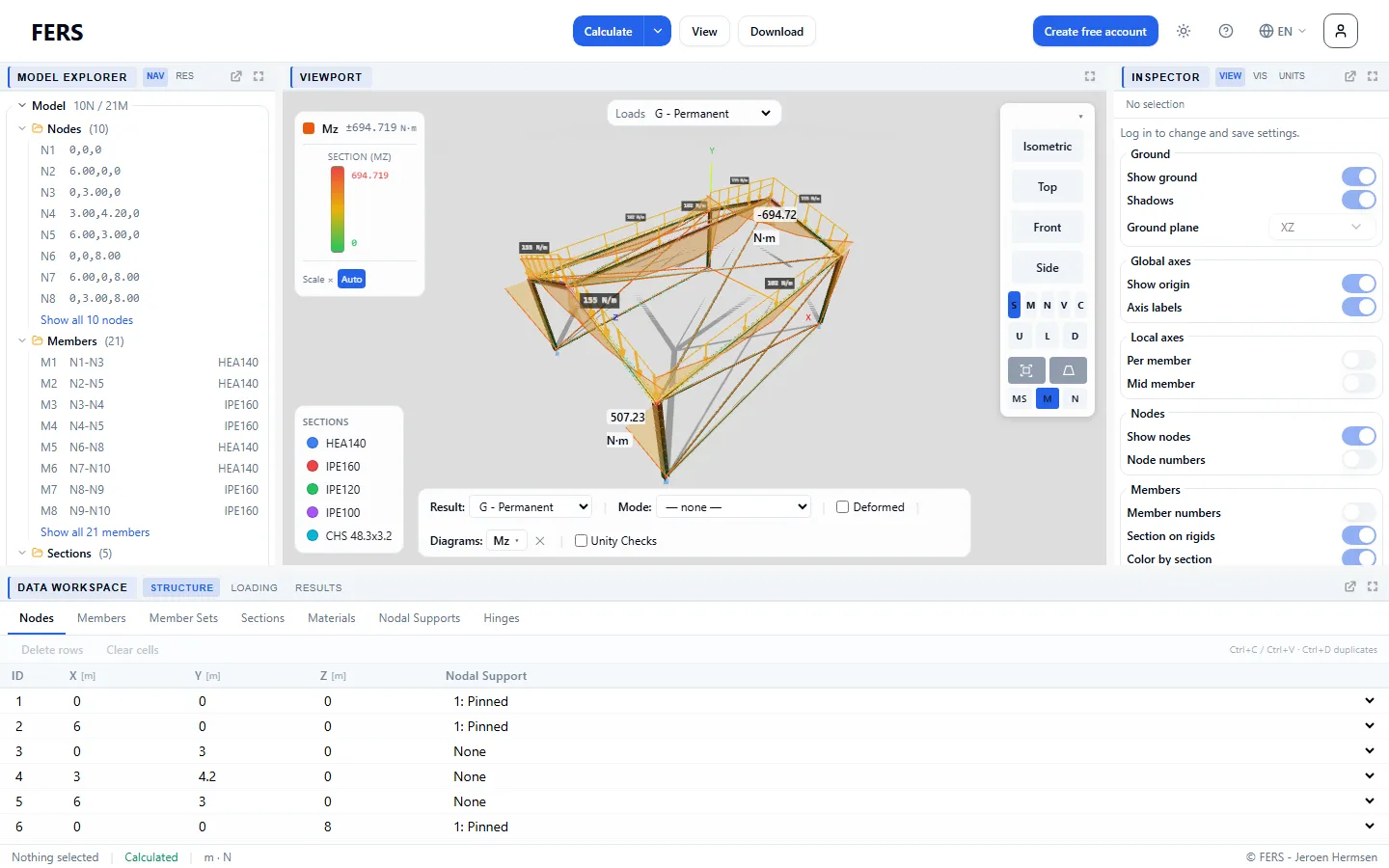
FERS Studio with the Simple Shed example solved: the model explorer, the 3D viewport showing the bending-moment diagram Mz under the permanent load case, and the nodes table

Capabilities

Everything the engine does

One finite-element engine runs behind FERS Studio, Python, the command line and your AI agent. Here is what it analyses and checks.

Analysis

  • Linear static analysis
  • Second order: P-Δ, or corotational for large rotations
  • Timoshenko or Euler–Bernoulli beams
  • Natural frequencies and mode shapes, with effective modal mass
  • Elastic critical buckling: αcr and the buckling modes
  • Member buckling lengths from those modes

Imperfections and warping

  • Global sway imperfections (EN 1993-1-1 §5.3.2), built into the geometry
  • Translation imperfections on member setsPython · MCP
  • Warping torsion: a seventh degree of freedom, with Iw and bimoments
  • Warping restraints at supports: fixed, free or a springPython · MCP
  • Lateral and torsional restraints that set the buckling lengthsPython · MCP

Seismic, EN 1998-1

  • Modal response spectrum analysis, CQC or SRSS
  • Lateral force method
  • Type 1 and 2 spectra on ground types A–E, or your own
  • Seismic mass from your load cases, with ψE
  • Directions combined by SRSS or the 100/30 rule

Members and plates

  • 3D frames and trusses
  • Tension-only, compression-only and rigid members
  • Cables as elastic catenaries, with pretension and sag
  • Plates and shells: thin (Kirchhoff) or thick (Mindlin)Python · MCP
  • European and British section catalogues
  • US section cataloguePython · MCP

Connections and supports

  • Hinges, springs and moment–rotation curves
  • Scissor hinges and member end offsets
  • Rigid links as exact constraints or stiff members
  • Support springs with nonlinear stiffness curves
  • One-way supports that can lift offPython · MCP

Loads and combinations

  • Forces and moments at nodes
  • Point loads and moments on members
  • Uniform, trapezoidal and partial line loads
  • Surface loads over any polygon
  • Self-weight from the sections and materials
  • EN 1990 load combinations (6.10 and 6.14b)

Steel checks, EN 1993-1-1

  • §6.2 cross-sections: tension, compression, bending, shear and their combinations
  • §6.3.1 flexural and torsional-flexural buckling
  • §6.3.2 lateral-torsional buckling, Mcr from the moment diagram
  • §6.3.3 bending and compression, Annex A or Annex B
  • Your own checks from formulas, such as deflection limitsPython · MCP

Results and reports

  • Force, moment and deflection diagrams in 3D
  • Envelopes over all load cases and combinations
  • Tables of reactions, displacements and member forces
  • Calculation report
  • Unity-check report with the hand calculation
  • Export to CSV, JSON, GLB and OBJ

Python · MCP Set up in Python or through MCP; FERS Studio opens and solves models that use them.

Validation

Results you can check yourself

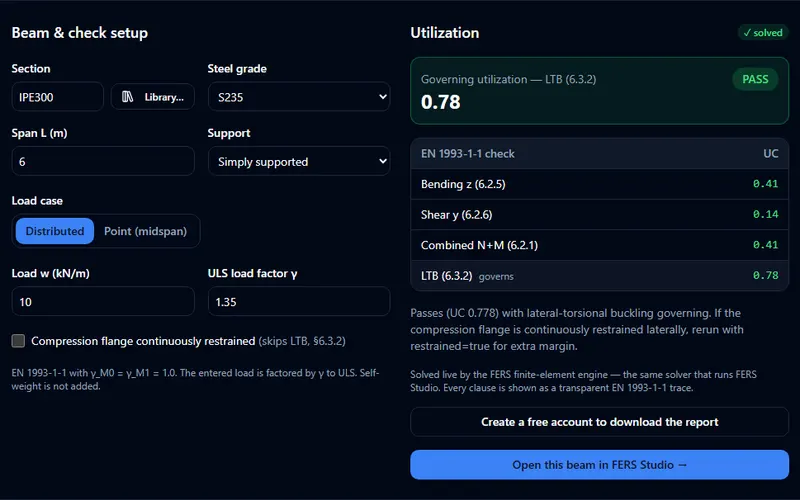
Each number FERS produces can be set against a reference: a NAFEMS benchmark, a closed-form solution or an EN 1993-1-1 hand calculation.

9

NAFEMS benchmarks

32 published reference values for free vibration and linear statics, re-solved live in your browser with the engine behind FERS Studio.

See every benchmark

< 0.0001 %

FE against closed form

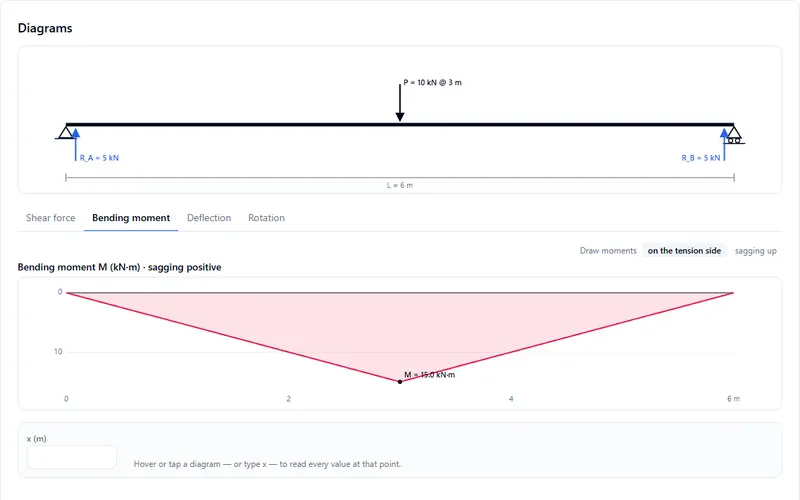
Every free beam calculator works the hand solution, solves the finite-element model and prints the difference for each quantity. Typically it is below one part in a billion.

Accuracy page

EN 1993-1-1

Clause by clause

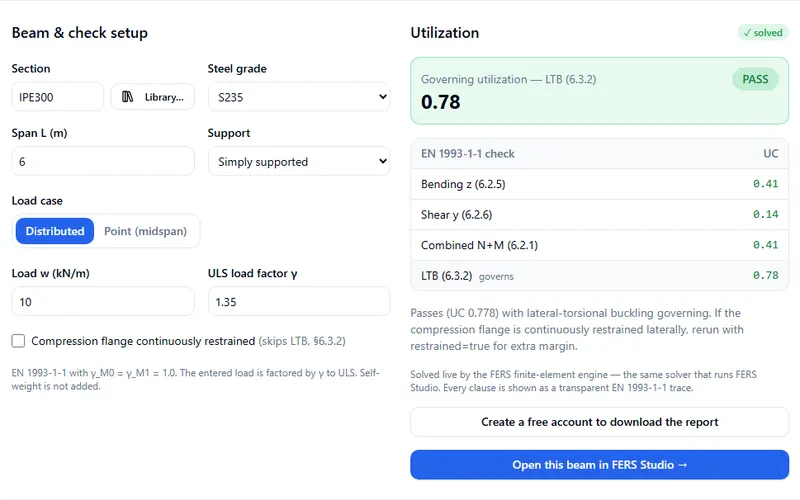
Bending, shear, combined N+M, flexural and lateral-torsional buckling, each with its hand-calculation trace, so a reviewer can follow every utilization.

Worked example

Pricing

Priced by model size, not per solve

Choose the plan that works best for your engineering needs. Models up to 100 members are free for non-commercial use.

Free

For study, teaching, research and hobby projects

€0/month

  • Full solver, all analysis types — up to 100 members
  • Non-commercial use
  • Python SDK & MCP server, no solve quota
Start free in Studio

Pro

For professional engineers and teams

€49/month

  • Commercial use licence
  • Up to 10,000 members
  • Cloud model storage & folders
  • Sharing links
Compare plans

Enterprise

For organizations with advanced needs

Custom

  • Everything in Pro
  • Custom integrations
  • Dedicated account manager
  • SLA guarantees
Contact Sales

Pick your way in

Same engine, same answers, whichever you start with. The free tier covers non-commercial work in all three.

FERS Studio

Model, solve and check in the browser.

Start free in Studio

Python and the command line

One install gives you the SDK and the fers command.

pip install FERS

Your AI agent

Claude, ChatGPT, Cursor or VS Code, through MCP.

Connect an agent